


PixelMakers™ Creative STEM Art Kit
PixelMakers™ Creative STEM Art Kit
“Such a proud dad moment! I bought the PixelMakers™ Creative STEM Art Kit for my son, and I honestly loved watching him figure out each design on his own. He had to look at the grid, match the colors, and work through it piece by piece — and when he finished, he was so proud that he made it himself. It’s nice seeing him focused on something creative instead of asking for a screen!" - Michael R., Proud Dad · Texas
Couldn't load pickup availability
Only 9 Left in Stock - Get Yours Now!
Turn Tiny Pixels Into Big Creations
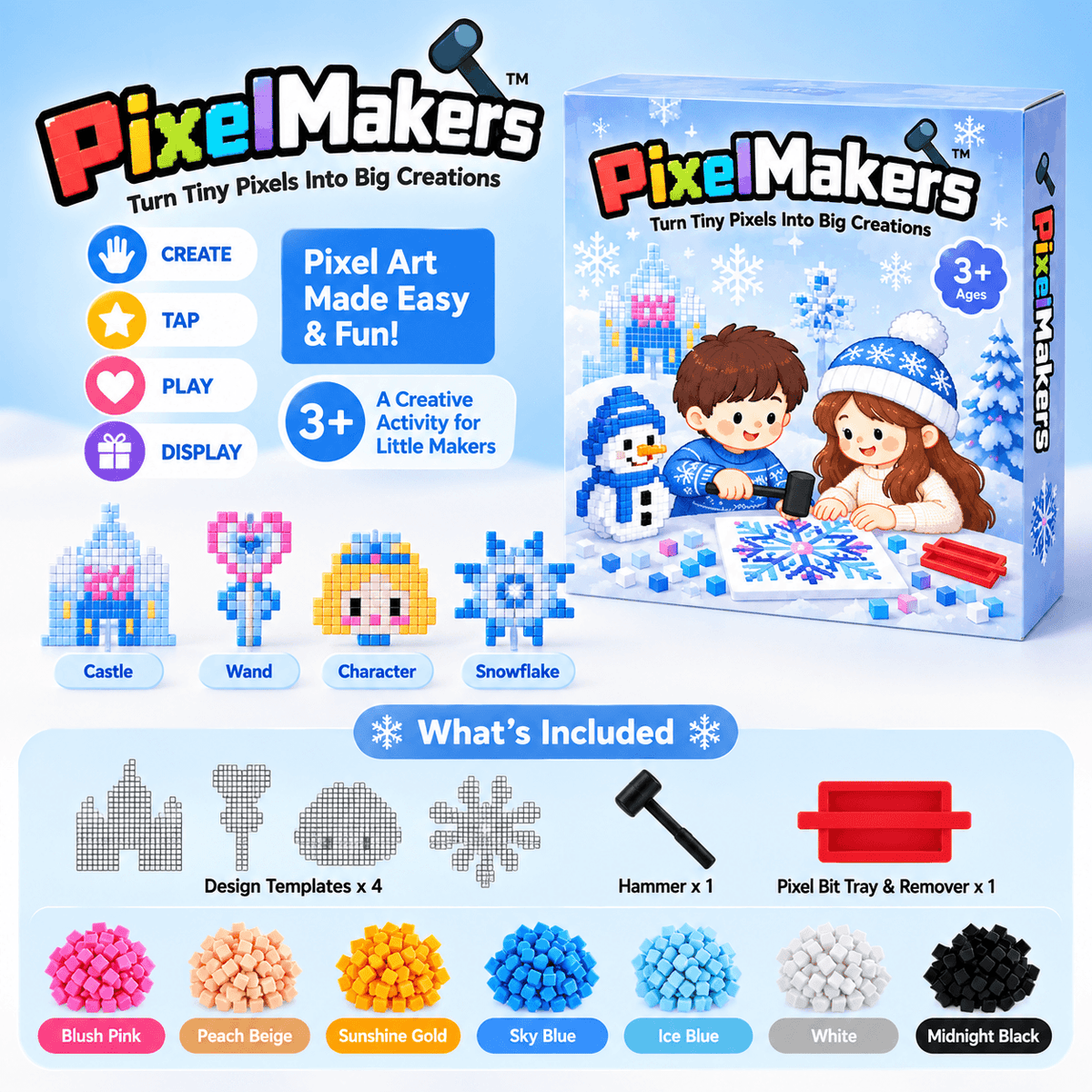
Create colorful pixel art without a screen! PixelMakers™ turns tiny, colorful pieces into awesome pixel-inspired creations as kids follow the included patterns, choose their favorite colors, and tap each piece into place with the satisfying little hammer.
As their artwork slowly comes to life, kids get a fun, hands-on project they can build, complete, and proudly show off. From the first colorful piece to the final tap, PixelMakers™ makes creative time more engaging — and gives little makers that satisfying “Look what I made!” moment.
🧠 Encourages creative expression
🔲 Strengthens pattern, grid recognition and develops sequencing skills
🖐️ Enhances fine motor skills – Supports hand-eye coordination and dexterity.
📵 Fun and engaging screen-free play
🔍 Increase focus and attention span
💖 Encourages independent play and confidence-building
What’s Included In The Set?
What’s Included In The Set?
✨ Design Templates – Fun patterns to get started
🌈 500+ Colorful Pixel Bits – Mix, match & create
🔨 Hammer – Tap each pixel into place
🧰 Pixel Bit Tray & Remover – Helps organize and remove pixels for replay
Suitable Age
Suitable Age
Suitable for age 4 and above (Parents may provide proper guidance)
Return Policy
Return Policy
We take pride in our products and we want you to be 100% satisfied with your order.
We guarantee a fun experience! - or your money back no questions asked.


“I got this for my granddaughter, and it quickly became one of our favorite things to do together. I love that it gives her something she can work on independently while also helping her practice those little hand movements and coordination as she places each piece. We also have so much fun sitting together, choosing which design to make next, and watching her creation come to life. Seeing her concentration turn into that big smile when she finished was absolutely priceless — it’s such a wonderful way for us to spend quality time together!”
Linda M., Grandma · Florida

✨Easy 3-Step Play
No complicated instructions or tricky setup.
Just choose a design, place the colorful Pixel Bits onto the template, then gently tap them into place with the hammer.
3 simple steps and their creation starts coming together.

🔄Mess Up? Just Reset & Replay!
Oops? No big deal! Use the Pixel Bit Tray & Remover to take out misplaced bits and try again.
When they're ready for something new, they can remove the pixels and create another design from scratch.

✋🧠 Little Hands. Busy Minds. Big Creations.
As kids build patterns, place tiny pixels and tap them into position, they're naturally practicing focus, hand-eye coordination, patience and creativity — while enjoying the satisfaction of making something they can proudly call their own!
Frequently Asked Questions
What is the PixelMakers™ Creative STEM Art Kit?
PixelMakers™ is a hands-on pixel art activity where kids create colorful designs by placing small Pixel Bits onto a design template and tapping them into place with the included hammer. It combines creativity, pattern matching, and hands-on play in one screen-free activity.
What age is PixelMakers™ Creative STEM Art Kit suitable for?
PixelMakers™ Creative STEM Art Kit is designed for ages 4+. Younger children may benefit from adult supervision and guidance while learning how the activity works.
What skills can kids practice while playing?
Kids can practice fine motor coordination, hand-eye coordination, focus, pattern recognition, color matching, and following sequences as they build their designs.
What happens if I put the wrong Pixel Bit in the wrong place?
No worries! The included Pixel Bit Tray & Remover can help remove misplaced Pixel Bits so they can be reused.
Can parents or grandparents play with kids too?
Definitely! While kids can work on the designs independently, it's also a fun activity to do together — choose a design, sort the colors, and watch the artwork come together one pixel at a time. ❤️
-

Kids Shine Like Stars They Are
We believe that all kids are stars with their own unique superhero journey. We are passionate about providing toys and gifts that inspire creativity, imagination, and play.
-

24/7 Customer Support
Need Help? We've got you
covered. Our support team is here to help you any day of the week! -

Stress Free Refund
We take pride in our products. If you aren't completely satisfied, please let us know for a stress free refund!
